Patient Chart
nnRx suite
Patient Chart — pharmacy workspace
Take one chart,
daily.
Sig: open at start of shift · review interactions before dispensing
Patient Chart is the pharmacy-first patient workspace: demographics, medications, interaction checks, deliveries, and follow-ups in one calm, fast chart — standalone, or integrated with nnRx.OS.
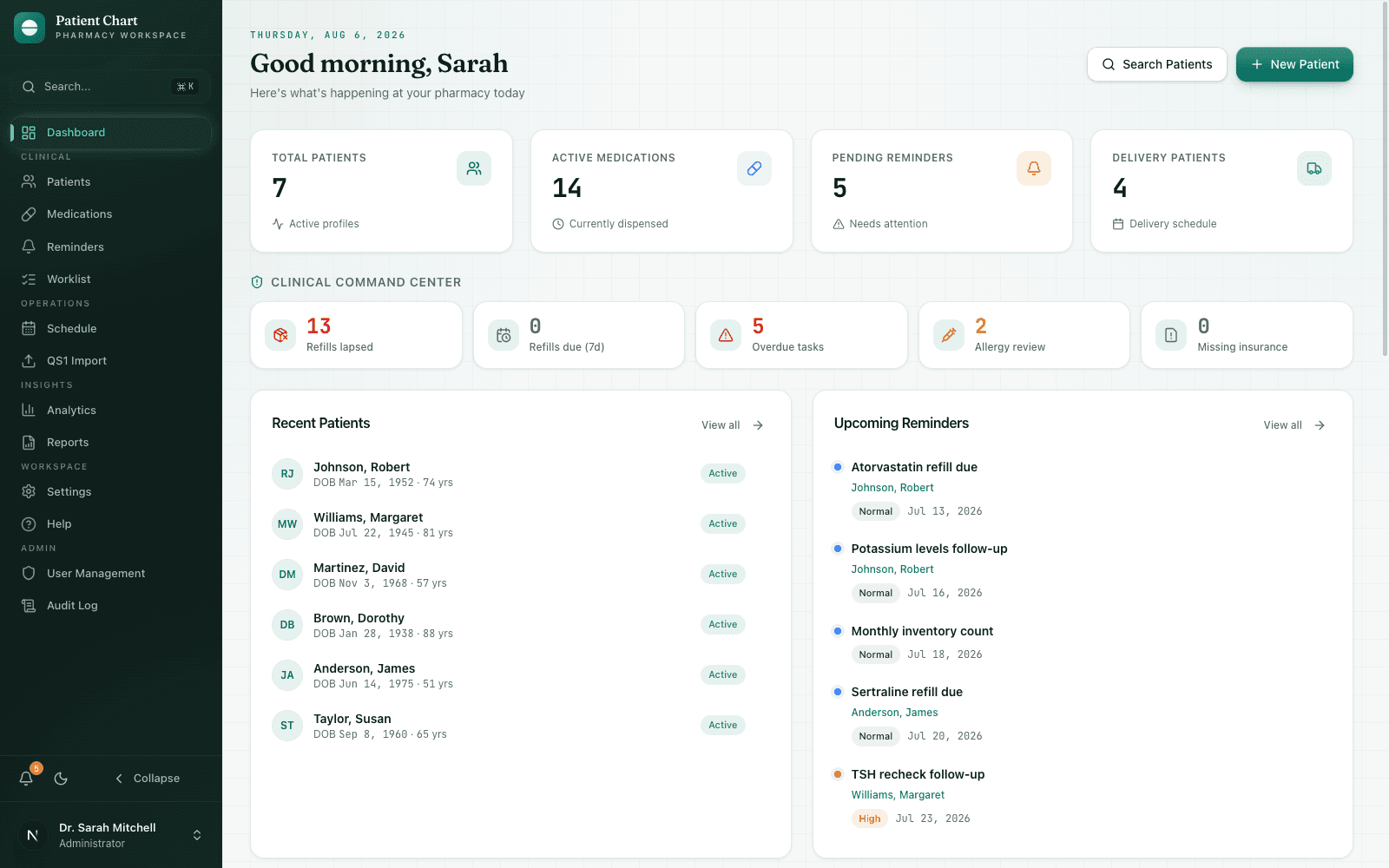
Active ingredients
Everything in the bottle, nothing off-label.
Eight shipped workflows — each one built for how pharmacy teams actually move through a shift.
Patient 360
Demographics, allergies, insurance, notes, vitals, labs, and immunizations — the whole patient on one screen.
Interaction checks
Check new prescriptions against the patient's active list before anything leaves the counter.
Medication tracking
Active prescriptions, doses, refills, and history in tabular form your eyes can scan.
Delivery workflows
Schedule deliveries, log contact attempts, and keep the delivery route honest.
Reminders & worklist
INR checks, refill follow-ups, callbacks — triaged by priority instead of memory.
QS1 import
Bring patients over from QS1 in bulk, with an import history you can audit.
Roles & audit log
Admin, pharmacist, and technician access levels, with high-risk actions logged.
Analytics & reports
Adherence, workload, and delivery metrics — with printable patient summaries.
Directions for use
A shift, charted.
Import & triage
QS1 records land in bulk. The dashboard hands you today's reminders and the worklist orders itself by priority.
Chart & check
Pull the patient 360, run the interaction check, update medications and notes without leaving the chart.
Deliver & follow up
Schedule tomorrow's deliveries, log contact attempts, and leave the follow-ups queued for the morning.
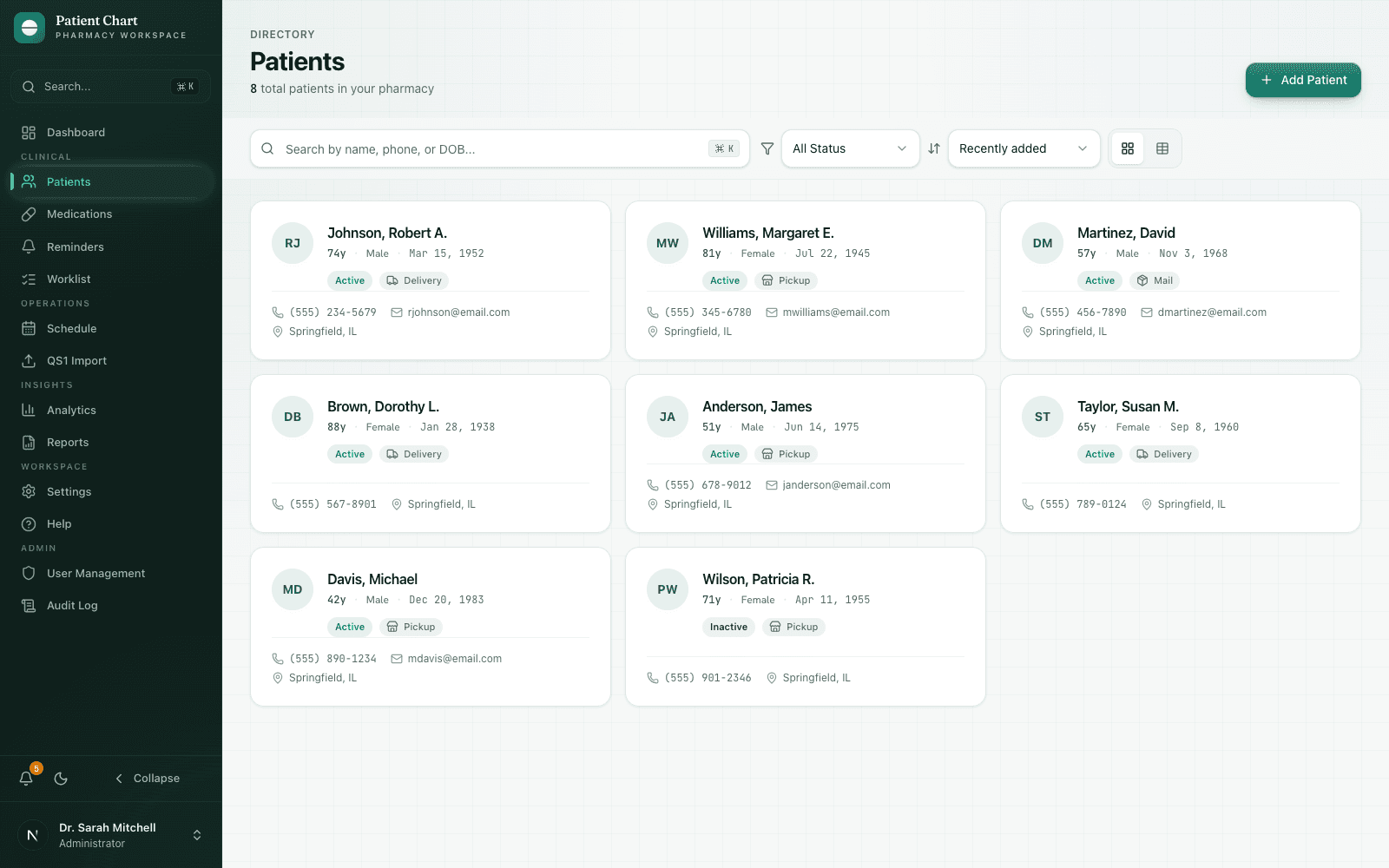
Light and dark themes — both dispensed as written.
Storage & handling
Kept like the controlled cabinet: locked, logged, and yours.
Patient Chart runs on your own infrastructure. Standalone mode keeps everything in a local SQLite database; integrated mode defers auth and clinical data to your nnRx.OS host.
Role-based access
Admin, pharmacist, and technician scopes
Audit trail
High-risk actions logged with actor and time
Local-first
Standalone SQLite — no third-party cloud
nnRx.OS ready
Mounts under your shell at /apps/patientchart
Ready to dispense
Your pharmacy's chart is ready for pickup.
No shaking required · store at room temperature